
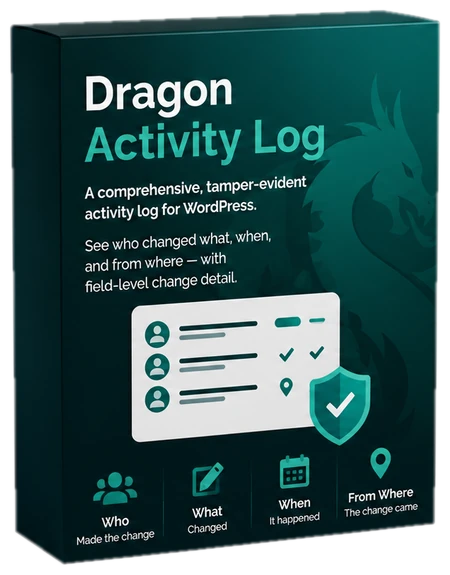
A tamper-evident audit log: every entry is cryptographically chained to the one before it, so silent edits to history are detectable, not just "mirrored somewhere else".
Requirements
WordPress 6.2+, PHP 8.0+. Multisite: network activation creates a table per site, new sites are provisioned automatically, and uninstall (with the opt-in) runs on every site. Every screen, email and notice is translatable; community translations come from translate.wordpress.org.
What gets logged
Content changes (with field-level detail of what changed), user logins, logouts, failed logins and profile changes, plugin, theme and core updates, settings changes (including the plugin's own), media including alt text edits, taxonomy terms and comments. Logins are attributed to the user signing in. Clearing the log itself records a "log cleared" event. Dragon plugins (Login Security, Redirect Manager and others) feed their own events in automatically when active.
Reading the log
Tools > Activity Log opens the log. Filter by object type, event, severity and date, or search; the live-updates toggle streams new events onto the first page and pauses itself while a filter or search is active. Screen Options (top right) sets events per page and hides columns. Times follow your site's date and time format. Field-level change detail shows exactly what changed, not just "post updated". Severity is shown as a tinted pill (info, notice, warning, critical) with a stripe on warning and critical rows.
The hash chain
Each event is sealed into a chain where every entry carries a hash of its predecessor (SHA-256 over an unambiguous encoding of every stored column, including the event id). The Integrity tab verifies the whole chain and reports the first link that no longer matches if anything was altered or deleted directly in the database. Sealing runs asynchronously (hourly, plus an occasional end-of-request pass) under a database advisory lock (with an option-row fallback on hosts without GET_LOCK) so logging adds no meaningful overhead to requests; "Awaiting seal" counts events written since the last seal, and verification seals them first, then reports anything still unsealed, tells you if it ran out of time on a very large log, and refuses to call the chain intact when another process held the lock. Two limits, by design: a row deleted before it is sealed leaves no trace, and someone with database write access who also recomputes every later hash and the stored chain head can hide an edit. It is tamper evidence for ordinary edits and deletions, not a substitute for database access control or off-site backups.
Off-site anchor
The chain lives in the same database as the log, so someone with database access could rewrite both consistently. An anchor is a copy of the chain head (event number + hash, never event data) sent out of the database: by email on a daily or weekly schedule (Settings > Chain anchor; use an address outside the site), and optionally by an HTTPS POST to a webhook you control, signed with a per-site secret in the X-Dragon-Signature header (sha256 HMAC of the JSON body). Send anchor now on the Integrity tab takes one immediately; Compare with an anchor (or wp dragon-activity-log verify --anchor=<reference>) recomputes the chain up to the anchored event and confirms it still produces the anchored hash. Every anchor sent is itself recorded as an event.
Site Health
Tools > Site Health shows an "Activity log integrity" test (green when the chain verifies, red naming the first broken event, amber when the check needs more time or the log is busy) and an "off-site anchor" test (recommends turning anchoring on, or flags a missing/failed recent delivery). The Info tab has a Dragon Activity Log section with event counts, the sealed cursor, the chain fingerprint and anchor status.
Settings
The Settings tab holds retention (in days; 0 keeps events forever, and Run cleanup now applies the number in the field immediately, saved or not), IP capture and anonymisation, whether to trust proxy headers plus an optional list of trusted proxy addresses or CIDR ranges, roles to exclude from logging, and the uninstall data opt-in. Changes to these settings are themselves logged. The danger zone clears every event and rebuilds the chain; the first event of the new chain records how many events were removed and whether the chain was intact beforehand. Cleanup runs daily via WP-Cron, or during normal traffic on sites where WP-Cron never fires.
Data and privacy
Events live in your own database and nothing is sent anywhere. IP capture is optional and can be anonymised; when you trust proxy headers, the address your proxy appended (the last X-Forwarded-For entry) is recorded. Option and field names that look like secrets (password, pass, pwd, secret, token, auth, nonce, salt, private, api, licence, credential, or ending in _key) are stored as "[redacted]". The plugin registers WordPress privacy-tools integration: export and erasure cover events the user caused, events about their account, and failed logins against their username. Erasing rows resets the hash chain, which reseals over the remaining events. Uninstalling keeps your log by default: an audit trail you can lose by clicking uninstall isn't much of an audit trail, so opt into deletion in Settings if you want it removed.
WP-CLI
wp dragon-activity-log list [--limit=<n>] [--event=<code>], wp dragon-activity-log prune, wp dragon-activity-log anchor (send an off-site anchor now) and wp dragon-activity-log verify [--anchor=<reference>].
Dragon Activity Log Pro
Adds rich before/after diffs, one-click rollback of settings, role changes, post edits and trashed posts, security alerts, streaming to Slack and signed webhooks, session tracking with forced logout, CSV/JSON export with an integrity report, and WooCommerce event coverage.
Uninstall
Deleting the plugin keeps all its data by default, so a reinstall picks up where you left off. To remove everything on uninstall, tick Delete all data on uninstall in the plugin's settings first (this sets the dragonactivitylog_delete_data_on_uninstall option).